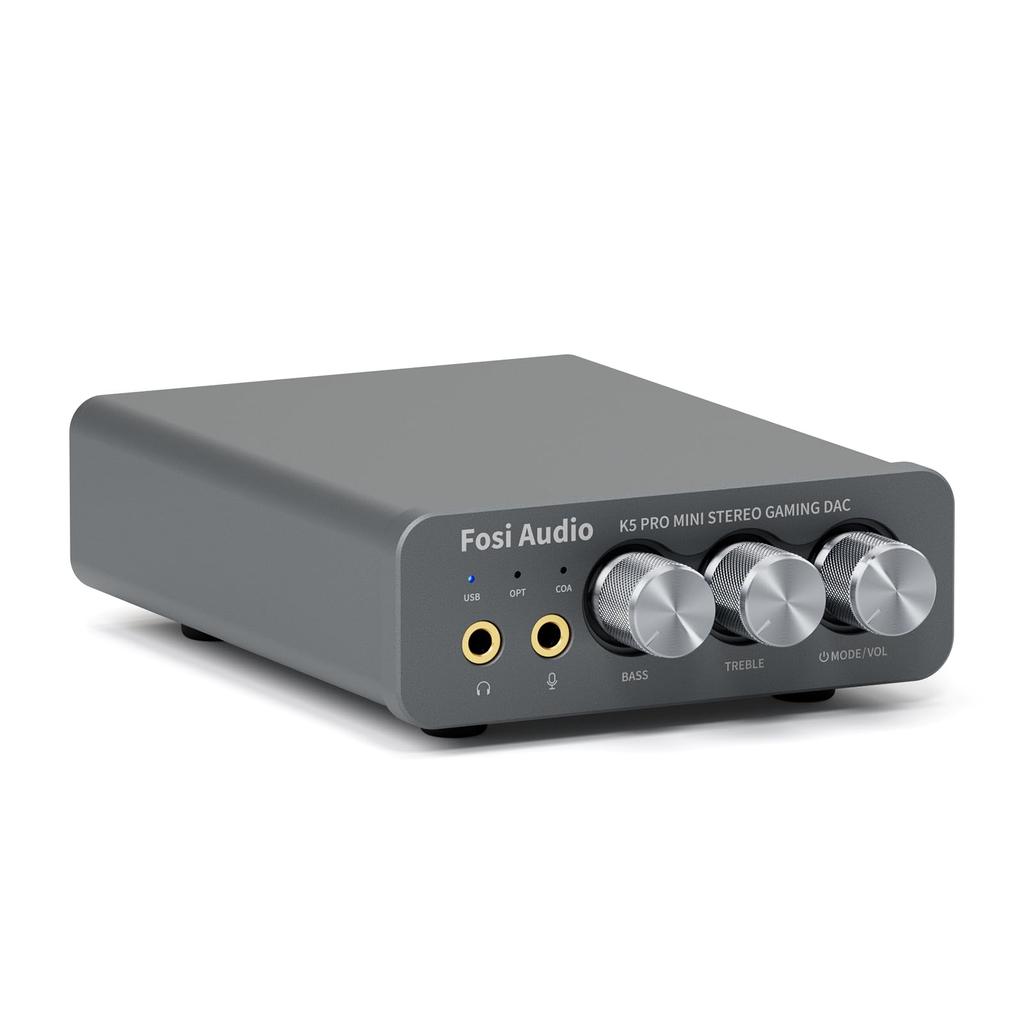
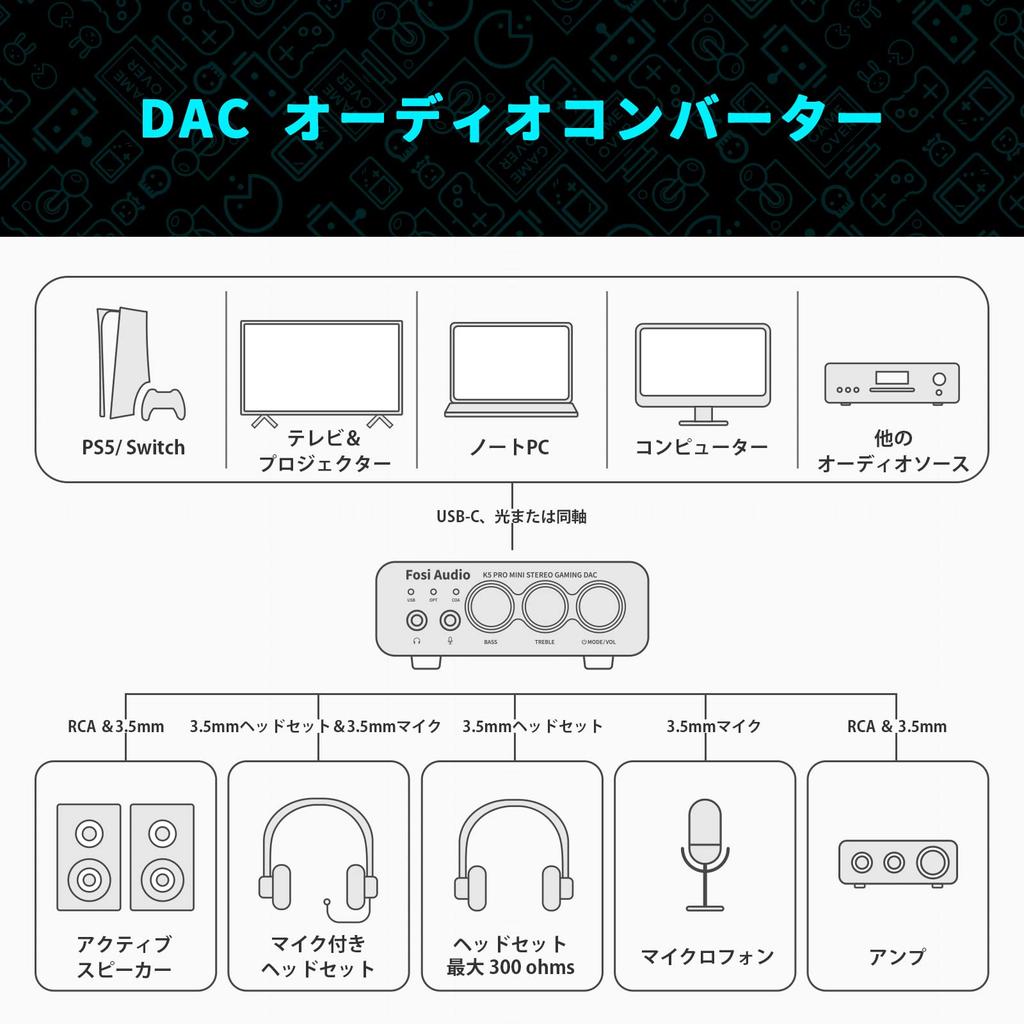
[Headphone Amplifier with Built-in Microphone Function] The K5 PRO headphone DAC amplifier with built-in microphone function performs excellently as an audio converter. It is ideal for home gaming systems. It is equivalent to an external sound card and is compatible with PS5, computers, PCs, Macs, Switches, active speakers, etc.
2-in-1 USB DAC Amplifier: Converts USB Type-C/Optical/Coaxial signals to 3.5mm AUX and RCA signals with low distortion and excellent dynamic range. The 2-in-1 USB Type-C interface charging port and audio input are compatible with smartphones (including mobile phones). The RCA output can be connected to an amplifier or active speakers. The 3.5mm AUX and microphone ports can drive headphones from 16Ω to 300Ω.
High-Performance Chip: The K5 PRO uses a Texas Instruments NE5532 op-amp chip. The circuit design is optimized for low ground noise and clean sound. It features extremely low noise, high output drive capability, high unity gain, maximum output swing bandwidth, low distortion, high slew rate, input protection diodes, and output short-circuit protection.
Product Specifications: Adjustable bass, treble, and volume to suit your music. USB sampling rate: up to 24 bit/96 kHz, optical/coaxial sampling rate: up to 24 bit/192 kHz, THD ≤0.003%, SNR ≥110dB. Output power: 1000mW@16Ω, 500mW@32Ω, 300mW@64Ω, 150mW@128Ω, 80mW@300Ω.
Packing Details: 1x K5 PRO DAC Amplifier, 1x 3.5mm Headphone Splitter, 1x 2-in-1 USB Type A/C to Type C Cable, 1x User Manual, 1x Optical Cable. 24-month warranty. If you have any questions, please feel free to contact us.
Note: ① Before turning on the power, please make sure the power cord is properly connected and not loose, and the socket is working properly. ② If the output power of the audio source device is insufficient, please use a 5V 1A or 2A power adapter. ③ To turn on the power, please press and hold the volume button for more than 2 seconds.
Why is white noise occurring? 1) There may be noise in the audio source itself. Try lowering the volume to see if the noise disappears. 2) The noise may also be caused by power interference. Use a well-shielded USB OTG cable and avoid placing it near an AC power cable. We recommend adding ferrite beads to the power line and avoiding the use of an external USB hub. Try changing the computer's USB port and switching to a different input mode (such as OPT/COA). 3) If the noise is coming from the headphone output, we recommend using a 3.5mm ground loop isolator and using high-impedance headphones. 4) If the noise is coming from the speakers, there may be an internal problem with the speakers. We recommend replacing them with different speakers and testing them.
What should I do if it won't power on? 1. Make sure the power environment is stable. 2. Make sure all connections are correct and firmly inserted. 3. Change the USB OTG cable and try a different USB port. 4. Try using a 5V 1A or 2A power adapter. 5. Press and hold the volume button for more than 2 seconds.
The upgraded version of the Fosi Audio Q4 adds microphone functionality, the K5 Pro headphone DAC amplifier combo, a next-generation audio converter with unparalleled internal structure, better performance, and richer audio details. Born for gaming, the K5 Pro stereo DAC headphone amplifier is ideal for home gaming systems, comparable to an external sound card, and suitable for PS5/computer/PC/MAC/active speakers, etc.




 No-delivery refund