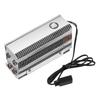
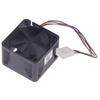
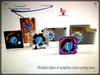
Effizientes Tower-Kühldesign: Die Tower-Struktur und die hochwertige Wärmeleitpaste gewährleisten eine schnelle Wärmeübertragung und leiten die Wärme aktiv durch Kanäle und Lüfter, um eine kontinuierliche SSD-Kühlung zu gewährleisten.
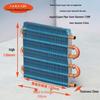
Langlebige Konstruktion: Aluminium-Kühlkörper verfügen über Kupfer-Heatpipes der dritten Generation mit Nickelbeschichtung und CNC-gefrästen Oberflächen für optimalen Kontakt und Haltbarkeit.
Vielseitige Montagemöglichkeiten: Kompatibel mit M.2 2280 SSD-Kühlern, sorgt für eine nahtlose Einpassung in verschiedene Systemlayouts und verhindert Konflikte mit anderer interner Hardware.
Duale, hochwertige Wärmeleitpaste: Im Lieferumfang sind zwei hochwertige Wärmeleitpasten enthalten, die eine schnelle Wärmeübertragung gewährleisten und die Spitzenleistung und Zuverlässigkeit der SSD beibehalten.
SSD-Schutz: Das Produkt wurde speziell als SSD-Kühler entwickelt. Es maximiert die SSD-Leistung und gewährleistet gleichzeitig deren Schutz, umfasst jedoch nicht das eigentliche Solid-State-Laufwerk.
Beschreibung:
Wir stellen unseren leistungsstarken M.2 2280 SSD-Kühlkörper vor, der die Funktionalität Ihrer SSD optimiert und sie vor Überhitzung schützt. Die vielseitigen Montageoptionen gewährleisten die Kompatibilität mit verschiedenen Motherboard-Layouts und machen die Installation zum Kinderspiel..
Das effiziente Tower-Kühldesign nutzt hochwertige Wärmeleitpaste und Aluminium für eine schnelle Wärmeübertragung und leitet die Wärme aktiv ab, um eine kontinuierliche SSD-Kühlung zu gewährleisten..
Durch vernickelte Heatpipes und CNC-gefräste Kontaktflächen sind Langlebigkeit und optimaler Kontakt garantiert.
Dieses Produkt wird mit zwei hochwertigen Wärmeleitpasten geliefert, die die Funktionalität Ihrer SSD verbessern und schützen und so eine zuverlässige Spitzenleistung gewährleisten..
Bitte beachten Sie, dass dieses Produkt nur als SSD-Kühler verwendet werden soll und nicht das eigentliche Solid-State-Laufwerk enthält.. Rüsten Sie Ihr System mit unserem langlebigen und effizienten M.2 2280 SSD-Kühlkörper für verbesserte Leistung und Zuverlässigkeit auf.
Artikelname: Kühlkörper
Material: Kupferlegierung, Aluminium
Modell: M.2-Drei
Kühlmethode: Aktive Kühlung
Nennspannung: DC12V
Nennstrom: 0,08 A
Lüftergeschwindigkeit: 3000 U/min
Maximales Luftvolumen: 14 CFM
Maximaler Winddruck: 1,33 mmH2O
Geräuschpegel: 25,4 dBA (MAX)
Anwendung: 2280 Solid-State-Laufwerk
Merkmale: Schnelle Wärmeableitung, stabil, sicher
Größenangaben:
L: 8.2cm, B: 7,45cm, H: 2,45 cm(Ca.)
Anmerkungen:
Aufgrund der unterschiedlichen Licht- und Bildschirmeinstellungen kann die Farbe des Artikels geringfügig von den Bildern abweichen.
Bitte erlauben Sie geringfügige Maßunterschiede aufgrund unterschiedlicher manueller Messungen.
Paket beinhaltet:
1 X Kühlkörper


 Geld zurück bei Nichtlieferung